

GDPR has been enforceable since May 2018. Yet many Shopware store owners still have gaps in their compliance setup. In 2026, EU data protection authorities are more active than ever.
They investigate eCommerce stores. They respond to user complaints. They issue significant fines. A single complaint from a customer can trigger a full regulatory audit.
The good news is that Shopware GDPR compliance is achievable. You just need to know what to check. This guide gives you a structured, actionable checklist.
It covers every major area. That includes cookie consent, customer data rights, privacy policy, data processing agreements, security, and data retention. Work through each section. Fix every item that does not pass.
GDPR Fines Are Not a Theoretical Risk
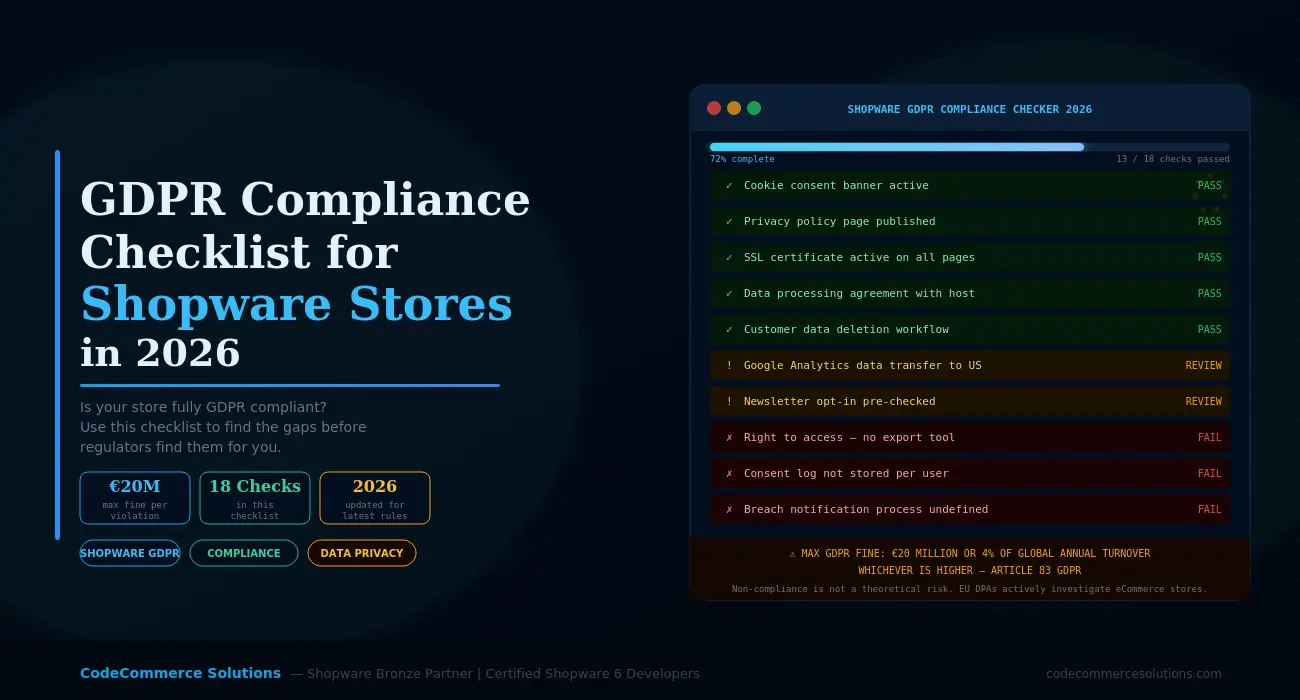
Under Article 83 of the GDPR, serious violations carry fines of up to €20 million. Alternatively, authorities can fine up to 4% of global annual turnover — whichever is higher. EU data protection authorities actively investigate eCommerce stores. A single customer complaint can trigger a full audit.
Why Shopware GDPR Compliance Needs a Regular Review
GDPR is not a one-time task. Your store changes constantly. You add new plugins. You connect new marketing tools. You update your checkout flow. Each of these changes can introduce a new compliance gap.
For example, a new analytics plugin might send user data to servers outside the EU. A checkout update might add a pre-ticked newsletter opt-in. A new payment gateway might set cookies without proper consent. None of these are intentional mistakes. But all of them are GDPR violations.
That is why Shopware GDPR compliance requires a regular review. A one-time setup is not enough. Review your compliance status at least every six months. Also review it after every major plugin update or platform change.
Shopware’s Built-in GDPR Tools Are a Starting Point — Not the Full Solution
Shopware 6 includes useful built-in features for data protection. These include customer data deletion, data export, and cookie consent management. However, they do not cover everything. Third-party plugins and external marketing tools each need their own compliance checks. Never assume full compliance just because Shopware’s core features are active.
Want a Professional GDPR Audit of Your Shopware Store?
Our certified Shopware 6 developers review your full compliance setup. We check cookies, consent flows, data handling, third-party tools, and more. Then we deliver a clear, prioritised fix plan.
The Shopware GDPR Compliance Checklist for 2026
This checklist covers six key areas. Work through each one carefully. Each item tells you what to check, what good looks like, and what to fix if it fails.
- Cookie consent banner is active and shown before any tracking begins Critical
Your store must show a cookie consent banner before any non-essential cookies load. This includes Google Analytics, Facebook Pixel, Hotjar, and similar tools.
Check this: Open your store in a private browser window. No third-party scripts should load before you accept cookies. If they do, your consent setup is broken.
- Consent is granular — users can accept or reject by category Critical
A simple accept-all banner is not enough. Users must be able to accept analytics cookies, reject marketing cookies, and choose individually.
Check this: Open your consent banner. Can users decline all non-essential cookies with one click? If not, update your consent configuration in Shopware admin or your cookie plugin.
- Consent choices are stored and respected on return visits Critical
If a user rejects analytics cookies, your store must remember that choice. It must not show the banner again. It must not load any rejected scripts on the next visit.
Check this: Reject all cookies and close the browser. Return to the site. The banner should not reappear. Open your browser dev tools and confirm that no rejected scripts have loaded.
- A record of consent is stored per user session High
Under GDPR Article 7, you must be able to prove that a user gave consent. Simply showing a banner is not enough. You need a consent log with a timestamp for each session.
Check this: Does your cookie plugin record the specific choices each user made? If not, you have no proof of consent. That is a serious gap if a data protection authority ever investigates.
- Withdrawing consent is as easy as giving it High
Users must be able to change their cookie preferences at any time. This means a visible link to reopen the consent panel. It must not be buried inside a privacy policy page.
Check this: Is there a “Cookie Settings” link in your footer? Can a user open it, change their choices, and have those changes take effect immediately?
- A privacy policy page exists and is easy to find Critical
- Every Shopware store must have a published privacy policy. It must be linked in the footer of every page. It must also appear during checkout and account registration.
- Check this: Is the footer link visible on mobile without scrolling? Does it open a real, readable policy? A blank page or an uncustomised generic template is not acceptable.
- The privacy policy names every third-party tool that processes data Critical
Your policy must list every service that receives customer data. This includes your email platform, analytics tools, payment processors, shipping providers, and CRM.
Check this: Go through your Shopware plugins and integrations. Match each one to a named entry in your privacy policy. Any missing entry is a direct GDPR violation.
- The policy explains legal basis for each type of data processing High
Under GDPR Article 6, every data processing activity needs a legal basis. Common bases for eCommerce include contract performance, legal obligation, and consent.
Check this: Does your policy explain why you collect order data and why you send transactional emails? Vague phrases like “we use data to improve our service” are not acceptable under GDPR.
- The policy includes your data retention periods High
GDPR requires you to keep personal data only as long as necessary. Your policy must state how long you retain order data, customer accounts, and email subscribers.
Check this: Does your policy name specific retention periods? A good example: “We keep order data for seven years for tax compliance.” Shopware’s scheduled tasks can then automate deletion.
- Customers can request a full export of their personal data Critical
GDPR Article 20 gives customers the right to data portability. They can ask for a copy of all personal data you hold about them. You must respond within 30 days.
Check this: Shopware 6 has a built-in data export feature. Go to admin and test it on a real customer account. Does the export include all order history, addresses, and account data? Confirm the export actually works — do not assume it does.
- Customers can request deletion of their account and data Critical
GDPR Article 17 gives customers the right to erasure — also called the right to be forgotten. You must delete all personal data linked to a customer when they request it.
Check this: Go to a customer profile in Shopware admin and test the deletion process. Does it anonymise order data correctly? Does it remove the name, email, and address from all records while keeping anonymised order history for tax purposes?
- You have a documented process for handling data subject requests High
When a customer emails asking to access or delete their data, you need a clear internal process. Who handles the request? How do you verify the customer’s identity? How do you confirm completion?
Check this: Write a simple internal SOP for data subject requests. It does not need to be long. It just needs to exist and be followed every time a request comes in.
- Newsletter opt-in uses genuine double opt-in — never a pre-ticked box Critical
Marketing consent must be freely given, specific, and unambiguous. Pre-ticked newsletter boxes are illegal under GDPR. Double opt-in is the correct approach. It means the user must click a confirmation link in an email before they are added to your list.
Check this: Go through your checkout and account registration. Are any newsletter boxes pre-ticked? If yes, remove them immediately. Then verify that your Shopware newsletter plugin sends a double opt-in confirmation email before adding any subscriber.
Need Help Getting Your Shopware Store Fully GDPR Compliant?
CodeCommerce Solutions is a Shopware Bronze Partner. Our certified Shopware 6 developers configure consent flows and data deletion workflows. We also handle third-party tool compliance. Your store will meet the GDPR standard correctly.
- A Data Processing Agreement (DPA) is signed with your hosting provider Critical
GDPR Article 28 requires a signed DPA with every service that processes personal data on your behalf. Your hosting provider is the most important one to start with.
Check this: Log in to your hosting provider’s account area. Most major hosts — including Hetzner, AWS, and IONOS — have a DPA in their legal or privacy settings. Download and sign it. Without a signed DPA, your entire hosting arrangement is non-compliant.
- DPAs are also in place for every other data processor you use Critical
Every tool that processes EU customer data needs a DPA. This includes your email marketing platform, analytics provider, payment gateway, shipping software, and CRM.
Check this: List every Shopware integration that sends or stores customer data externally. For each one, confirm a DPA exists. Keep a record of each signed DPA in one place. This record is your evidence if you are ever investigated.
- Any tools transferring data outside the EU use approved transfer mechanisms Critical
Sending EU customer data to servers in the US or other non-adequate countries requires a valid legal transfer mechanism. Standard Contractual Clauses (SCCs) are the most common approach.
Check this: Does your Google Analytics setup use the EU data residency option? Does your email marketing platform process data in the EU or use SCCs? Check each tool individually. Do not assume compliance. Verify it in each provider’s privacy documentation.
- SSL is active on every page of your Shopware store Critical
GDPR Article 32 requires appropriate technical security measures. SSL encryption is the absolute minimum for any site that handles personal data.
Check this: Visit every page type on your store — homepage, product page, checkout, account, and admin. All must load over HTTPS. Use SSL Labs to confirm your certificate is valid and correctly configured with no mixed content warnings.
- Your Shopware admin login is protected against brute force access Critical
A compromised admin account gives an attacker full access to all customer data. That is a reportable data breach under GDPR Article 33.
Check this: Is your Shopware admin URL still at the default /admin path? If yes, change it. Is two-factor authentication enabled for every admin user? Are login attempt limits active? All admin accounts must use strong, unique passwords.
- You have a documented data breach response plan High
Under GDPR Article 33, you must report a data breach within 72 hours. The clock starts the moment you become aware of it. That requires a plan — not a panic response at 2am.
Check this: Do you have a written process for identifying, containing, and reporting a breach? Does your team know who to contact and what to document? If not, write a simple one-page breach response plan today and share it with your team.
- Shopware is kept up to date with all security patches applied Critical
Outdated Shopware versions contain known vulnerabilities. Running an unpatched store is a failure to implement adequate technical security under GDPR Article 32.
Check this: Log in to your Shopware admin. Check your current version against the latest release. Apply all pending security patches. This is one of the simplest GDPR compliance fixes available — and one of the most commonly skipped.
- Your checkout only collects data that is strictly necessary High
GDPR’s data minimisation principle means you must not collect more data than you actually need. Extra optional fields are fine. But required fields must be genuinely necessary to complete the order.
Check this: Go through your Shopware checkout step by step. Is every required field essential to fulfil the order? Remove any that are not. Make truly optional fields optional — not required by default.
- Shopware’s automated data deletion tasks are configured and active High
Shopware 6 has scheduled tasks that automatically anonymise and delete old customer data. However, these are not active by default on all setups. You must enable and configure them manually.
Check this: In Shopware admin, go to Settings, then Scheduled Tasks. Find the customer data cleanup tasks. Verify they are active. Set retention periods that match your privacy policy — for example, anonymising guest order data after three years.
- Log files and analytics data are retained only as long as necessary High
Server access logs contain IP addresses. Under GDPR, IP addresses are personal data. Analytics platforms like Google Analytics also store user-level data with a retention period you must set.
Check this: In Google Analytics 4, go to Admin, then Data Retention. Set it to the minimum needed — typically 14 months. For server logs, ask your hosting provider about automatic log rotation and set it to no longer than necessary.
The Biggest GDPR Mistakes We See on Shopware Stores
After reviewing many Shopware stores, we see the same mistakes come up again and again. Here are the most common ones. Each one includes the GDPR article it violates and the most typical root cause.
| Mistake | GDPR Article | Risk Level | Common Cause |
|---|---|---|---|
| Google Analytics loads before consent | Art. 6, 7 | Critical | Analytics plugin not integrated with consent manager |
| Newsletter opt-in is pre-ticked | Art. 7 | Critical | Default Shopware checkout setting not changed |
| No DPA with hosting provider | Art. 28 | Critical | Merchant never logged in to sign it |
| Privacy policy lists no third-party tools | Art. 13 | Critical | Generic template used — never customised |
| No double opt-in for email marketing | Art. 6, 7 | Critical | Email plugin default settings left unchanged |
| Customer deletion does not work correctly | Art. 17 | High | Custom plugin conflict breaks Shopware’s deletion flow |
| US-based tool used without SCCs or EU region | Art. 44–46 | High | Tool added without reviewing data residency settings |
| No breach response plan exists | Art. 33 | High | Never considered — no incident has happened yet |
We see this pattern consistently when auditing Shopware stores. The cookie consent banner looks correct on the surface. But it breaks completely when properly tested. In some cases, a plugin loads before consent is given. In others, consent choices reset silently after a Shopware update. Always test with a network monitor open. Looking at the banner is not enough.
Why Choose CodeCommerce Solutions for Shopware GDPR Compliance
Shopware GDPR compliance is not just a legal task. It is a technical one. Getting cookies to fire only after consent requires correct plugin integration. A banner alone is not enough.
Getting customer deletion to work correctly requires testing against your specific plugin stack. Getting data transfer compliance right requires knowing which tools process data and where they store it.
As a Shopware Bronze Partner, CodeCommerce Solutions has a team of certified Shopware 6 developers. We configure consent management correctly. We test deletion and export workflows. We audit your plugin stack for third-party data flows. We fix every issue we find — in Shopware’s native system, not with workarounds.
We also document everything we implement. That gives you a clear compliance record. You can rely on it if a data protection authority ever asks questions.
Is Your Shopware Store GDPR Ready in 2026?
Shopware GDPR compliance is not a one-time setup. It is an ongoing responsibility. Your store changes. New plugins add new data flows. New marketing tools create new consent requirements. Each change needs a compliance review.
This checklist covers every major area. That includes cookie consent, privacy policy, customer data rights, data processing agreements, technical security, and data retention. Work through each section. Fix every failing item. Then set a calendar reminder to review the list again in six months.
If you need help with the technical side, CodeCommerce Solutions is ready. We handle consent configuration, data deletion workflows, plugin stack auditing, and DPA verification. We are a Shopware Bronze Partner with certified Shopware 6 developers. We understand both the technical and compliance sides of running a GDPR-ready Shopware store.
Get Your Shopware Store GDPR Compliant in 2026
CodeCommerce Solutions is a Shopware Bronze Partner with certified Shopware 6 developers. We audit your compliance setup and fix every technical gap. We document everything we do. Your store will be protected and legally defensible.