

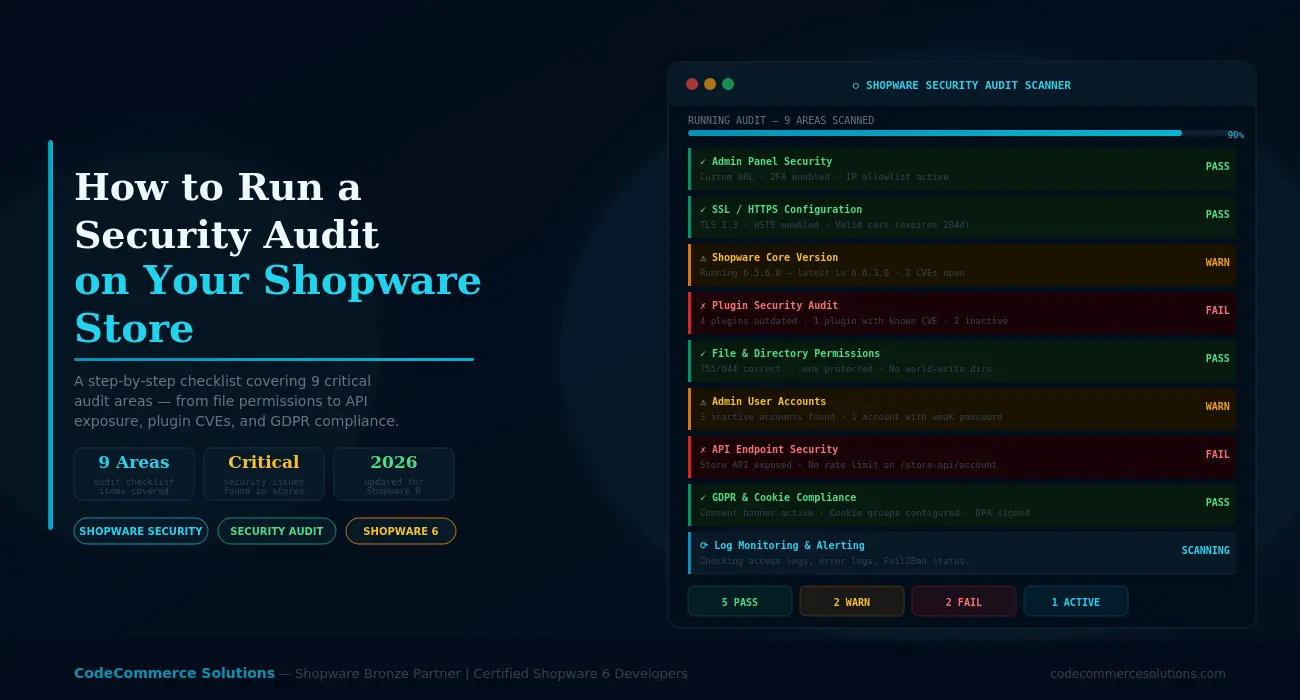
Running a Shopware security audit is one of the most valuable things you can do for your eCommerce business. Most Shopware store owners focus on conversion rate, marketing, and product catalogue. Security stays at the bottom of the list — until something goes wrong.
A Shopware security audit gives you a clear picture of your risk. It finds outdated parts, broken settings, and exposed endpoints. It also finds access control gaps — before attackers do. Furthermore, it gives you a ranked list of fixes rather than a vague sense that something might be wrong.
This guide walks through the nine areas every Shopware store security audit should cover. For each area, you will find a breakdown of the risks and specific things to check. You will also see the signs that indicate a problem. Use it as a working Shopware security checklist alongside your own store.
Run a full Shopware security audit at least once every six months. Also run one after every major Shopware version update. Similarly, run one after adding or removing plugins, and whenever an admin user leaves your business. Also, run one right away if you notice unusual behaviour in your access logs.
Shopware admin security starts with controlling access to the admin panel itself. Your Shopware admin panel is the highest-value target in your entire store. Anyone who gains access to it has full control over your products, customers, orders, and settings. As a result, admin panel security is always the first area to audit.
The default Shopware admin URL is well-known. Bots scan for it constantly. Beyond the URL, weak passwords and absent two-factor login (2FA) are also serious risks. They leave the admin panel exposed even when other protections are in place.
- Change the admin URL from the default
/adminpath to something unpredictable. - Enable two-factor login (2FA) on every admin user account.
- Restrict admin access by IP allowlist — only your team’s IP ranges should reach the login page.
- Turn on login rate limiting — throttle failed attempts after a set threshold.
- Add an HTTP Basic Auth layer in front of the admin login as a second gate.
- The admin login page has no IP restrictions — the public internet can reach it directly.
Running an outdated Shopware version is the single most common Shopware vulnerability found during audits. Shopware plugin security failures are a close second. When a CVE is published, it includes the exact version range affected. Attackers use automated scanners to find stores running those versions at scale.
Shopware plugin security is equally important. Plugins introduce their own code into your store. An outdated or abandoned plugin with a known CVE is just as dangerous as an outdated core version. According to the Shopware official security advisories, vulnerabilities in third-party plugins are a common attack vector.
- Shopware core version matches the latest stable release in the 6.6.x branch.
- Update all installed plugins to their latest versions compatible with your Shopware release.
- Check that no plugins with known published CVEs remain installed and active.
- Remove all inactive plugins entirely — do not just deactivate them.
- Set up a process for tracking new Shopware security advisories and applying patches promptly.
Want a Professional Shopware Security Audit?
CodeCommerce Solutions is a Shopware Bronze Partner. Our certified developers run a full Shopware security audit on your store. We cover all nine areas and deliver a fix report ranked by severity within 48 hours.
Shopware Plugin Development →What Happens If You Skip Updates
Every Shopware store must serve all pages over HTTPS. This is a must. It protects customer data in transit, prevents man-in-the-middle attacks, and directly affects your Google search rankings. An expired or badly configured SSL cert is a critical Shopware store security failure.
Beyond the basic SSL cert, proper transport security means enforcing HTTPS redirects and setting HSTS headers. It also means ensuring mixed content does not appear on any page. Mixed content — where a secure page loads insecure resources — breaks the entire HTTPS setup.
- SSL cert is valid and does not expire within the next 60 days.
- All HTTP requests redirect on their own to HTTPS — no exceptions.
- HSTS header is set with a minimum max-age of 31536000 (one year).
- No mixed content warnings appear on any page — check with browser developer tools.
- TLS version is 1.2 or 1.3 — TLS 1.0 and 1.1 are disabled on the server.
Incorrect file permissions are a common finding in any Shopware security audit. If your .env file is world-readable, sensitive login details including your database password are exposed to anyone with server access. Similarly, writable directories in the wrong locations create chances for malicious file uploads.
This area of the Shopware store security audit is about verifying that your server setup matches Shopware’s advised permission model. It also checks that no sensitive files are publicly accessible.
.envfile permissions are set to 600 — readable only by the web server user.- Directories are set to 755 and files to 644 across the Shopware installation.
- No directories outside of
/public/media/and/public/thumbnail/are world-writable. /config/,/vendor/, and/.git/directories are blocked from public web access.- Shopware’s
var/log/directory is not publicly accessible via direct URL. - PHP execution is blocked in the
/public/media/directory via server setup.
Shopware admin security gaps caused by stale user accounts are easy to miss. Admin user accounts pile up over time. Developers, agencies, and former team members may still have active login details long after they stop working on your store. Each unused account is an an extra attack surface. This is especially true if the password has not changed since the account was first created.
This part of the Shopware security audit focuses on Shopware admin security basics. It is simple but consistently reveals problems. It requires reviewing every account in your Shopware admin and applying the principle of least privilege.
- Every admin user account belongs to a current, named team member — no generic or shared accounts.
- No accounts exist for former employees, freelancers, or agencies no longer working on the store.
- Give each user only the minimum permissions for their role — never grant admin-level access by default.
- All admin passwords were last changed within the past 90 days.
- Confirm two-factor login (2FA) is active on every account — not just turned on at the system level.
When we conduct a Shopware security audit for a new client, admin user accounts are almost always the quickest win. We routinely find five to ten accounts for developers and agencies who stopped working on the store years earlier. Some still have full admin access.
Removing those accounts takes ten minutes. It reduces the attack surface right away. We also run a Shopware plugin security review at the same time — it is just as fast and useful.
Shopware exposes a powerful Store API and an Admin API. Check both in your Shopware security audit. The Store API is meant to be public. But it still needs rate limits and tight scope control. The Admin API is far more sensitive and should be tightly restricted.
Shopware security gaps involving API endpoints are especially dangerous because they bypass the browser-based login flow entirely. An attacker can probe your API without ever touching your admin login page.
- Set up rate limiting on
/store-api/account/loginand other sensitive Store API routes. - All active Admin API integrations use the minimum required permissions scopes.
- Delete all unused Admin API integrations — do not leave them deactivated.
- Rotate API access tokens on a regular schedule — at least every 90 days.
- Check that API endpoints do not return verbose error messages that expose internal paths or stack traces.
- Restrict Admin API access by IP address where your hosting setup allows it.
HTTP security headers are a fast-win area of any Shopware security checklist. They instruct browsers on how to handle your site content. Furthermore, they prevent a range of common attacks at the browser level. These include clickjacking, MIME type sniffing, and cross-site scripting.
Most Shopware stores have no security headers configured because Shopware does not set them by default. They need to be added at the server level. That means your Apache virtual host, Nginx server block, or hosting control panel.
- Set
X-Frame-Options: DENYorSAMEORIGINto block clickjacking attacks. - Set
X-Content-Type-Options: nosniffto stop MIME type sniffing attacks. - Set
Referrer-Policytostrict-origin-when-cross-originor a stricter value. - Define a Content Security Policy (CSP) header — even a basic one cuts XSS risk greatly.
- Confirm the HSTS header includes the
includeSubDomainsdirective.
GDPR compliance is part of any complete Shopware store security audit. A store may be technically secure on the surface. However, if it leaks personal data through poor consent management or unlawful data retention, it is still legally exposed. Fines under Article 83 can reach 4% of annual global turnover.
This part of the audit focuses on data handling practices — not just the cookie banner. It covers how data is collected, stored, shared, and deleted across your entire Shopware setup.
- Confirm the cookie consent banner blocks all non-essential tracking until the visitor gives consent.
- Sign a Data Processing Agreement (DPA) with every third-party tool that handles customer data.
- Customer data deletion requests can be fulfilled completely within 30 days.
- Define and enforce a data keep policy — do not store old customer data indefinitely.
- Your privacy policy accurately describes all data collected, processing purposes, and third parties involved.
- Protect order and customer data exports — require admin login before any export runs.
Need Help Fixing Issues Found in Your Shopware Security Audit?
As a Shopware Bronze Partner, CodeCommerce Solutions provides hands-on fixes for every issue found identified in a Shopware security audit. Our certified developers fix problems correctly — not with quick patches that create new issues.
Many Shopware stores that have already been breached do not know it. Attackers operate quietly — stealing data gradually or installing persistent backdoors that are only used sometimes. Checking logs is how you detect this activity before it causes damage that is hard to undo.
This final area of the Shopware security audit is about having a clear view. Without active log checks, you have no security cameras. You cannot see what is happening. Even the best protections fail when you have no visibility.
- Review access logs at least weekly and set up alert tools to flag anomalies automatically.
- Run Fail2Ban or an equivalent tool on your server — it bans IPs after repeated failed login attempts.
- Shopware’s own log files in
var/log/are checked regularly for errors and warnings. - Set up an alert for any new admin user creation or admin permission change.
- Log failed login attempts and compare them against known malicious IP lists each month.
- Define an incident response process — your team should know exactly what to do if a breach occurs.
What to Do After Your Shopware Security Audit.
Completing a Shopware security audit gives you a list of findings. The next step is to prioritise them correctly. Not every finding carries the same urgency, and trying to fix everything at once is a recipe for mistakes.
Use this priority framework to sequence the fix work.
| Severity | Fix Within | Examples |
|---|---|---|
| Critical | 24–48 hours. | Open admin URL. No 2FA. Critical CVE unpatched. No IP restriction on admin. |
| High | Within 1 week. | Outdated plugins with known CVEs. Inactive admin accounts. Missing HTTPS redirect. No API rate limiting. |
| Medium | Within 1 month. | Missing security headers. Weak password policy. No log checks. GDPR gaps. |
| Low | Next maintenance window. | Non-critical header improvements. Minor permission corrections. Policy records updates. |
After fixing issues, re-run the Shopware security audit for the areas you changed. Use your Shopware security checklist to confirm each item passes before moving on. Fixes sometimes introduce new problems — especially when updating plugins or changing server setup. A second pass confirms that the remediation was successful and did not create new gaps.
How Often Should You Run a Shopware Security Audit?
A Shopware security audit is not a one-time exercise. Your store changes. New plugins are added. Team members come and go. Shopware releases new CVE patches. Any of these changes can open up new vulnerabilities that were not present during your last audit.
As a minimum, run a full Shopware store security audit every six months. Also, run a focused audit after each of the following trigger events.
- Run one after every major or minor Shopware version update.
- Run one after adding, updating, or removing any plugin.
- After any change to your server setup or hosting provider.
- When a developer, agency, or admin user leaves your business.
- After any third-party integration is added or changed.
- Right away if you notice unusual access patterns, unexpected orders, or unexplained admin changes.
Some parts of a Shopware security audit can be automated. Set up Fail2Ban for log checks. Configure uptime and SSL cert monitoring. Use a version management tool that alerts you when new Shopware patches are available. Automated tools do not replace a manual audit. However, it reduces the manual effort significantly and catches fast-changing issues between scheduled reviews.
Why Choose CodeCommerce Solutions for Your Shopware Security Audit.
Running a Shopware security audit manually takes time and requires deep familiarity with Shopware’s architecture, server setup, and API behaviour. Many Shopware store owners complete the visible checks — SSL cert, Shopware version. However, they miss less obvious risks like API rate limiting, verbose error responses, and stale admin user accounts.
As a Shopware Bronze Partner, CodeCommerce Solutions has a team of certified Shopware 6 developers. We conduct Shopware security audits for stores across a wide range of industries and sizes. We check all nine areas covered in this guide. Furthermore, we go deeper on each area. We examine your specific plugin stack for known Shopware security gaps. We also review your server setup and test your API endpoints directly.
After the audit, we deliver a written report with every finding categorised by severity. We also provide a recommended fix sequence and can handle the the fix work directly if needed. Shopware store security is not a one-off project. Therefore, we also offer ongoing maintenance engagements that include quarterly audits as standard.
Run Your Shopware Security Audit Today.
A Shopware security audit does not need to take days. Working through the nine areas in this guide takes a few hours for a standard store. However, the findings can prevent breaches that take weeks to recover from. The time invested in the audit costs far less than the damage it prevents.
Start with the highest-risk areas first: admin panel security, Shopware version and plugin updates, and admin user accounts. These three areas expose the most common Shopware security gaps we find in live stores. These three areas catch the majority of critical Shopware security gaps we find in live stores. Then work through the remaining six areas in order of severity.
If you need help running a professional Shopware security audit or fixing the issues it reveals, CodeCommerce Solutions is ready. We are a Shopware Bronze Partner with certified developers who conduct Shopware store security reviews every day.
Get a Professional Shopware Security Audit
CodeCommerce Solutions is a Shopware Bronze Partner with certified Shopware 6 developers. We audit your store across all nine security areas. We deliver a findings report ranked by severity. Then we fix everything that needs attention.