

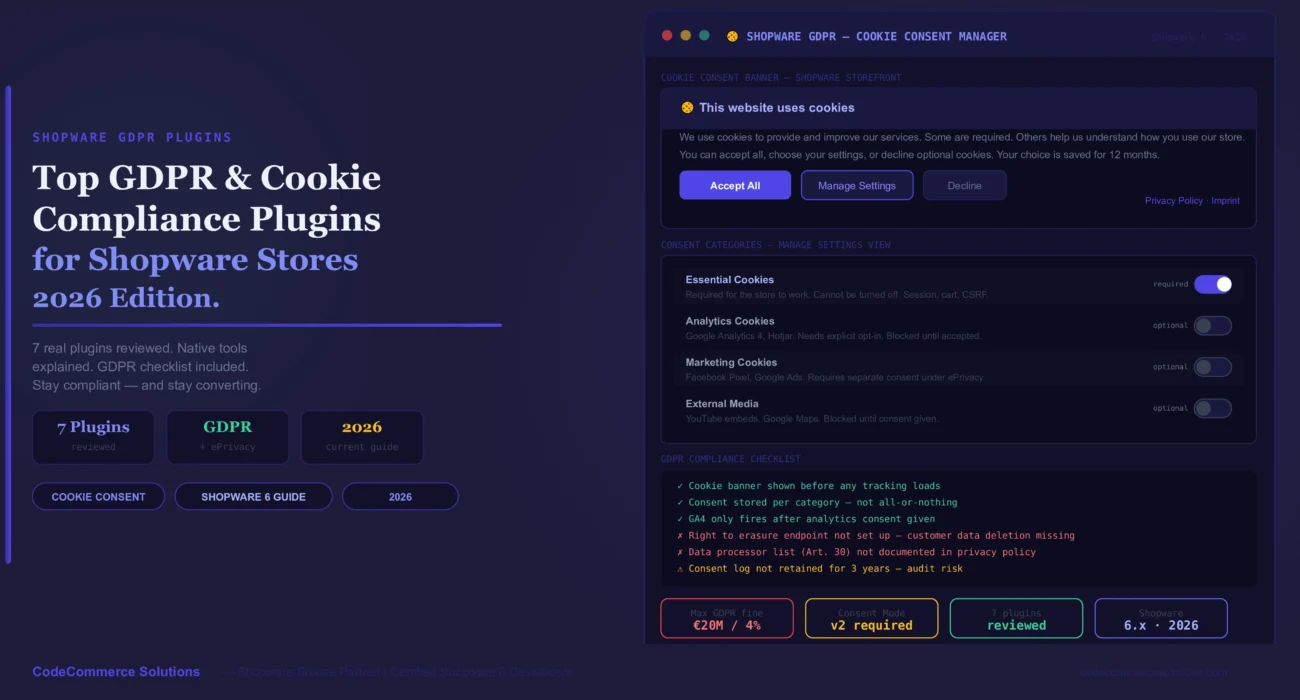
Every Shopware store that sells to EU customers must follow GDPR. It is not optional. The rules cover how you collect data, store it, and ask for consent. A cookie banner is just the start.
But a bad cookie setup also hurts sales. A banner that blocks the entire page loses shoppers. A banner that loads after GA4 already fired breaks your legal cover. The right Shopware GDPR plugin handles both — legal and user experience.
Since March 2024, Google requires Consent Mode v2 for all EU stores using Google Ads or GA4. Without it, your conversion tracking is incomplete and your remarketing audiences stop growing. Your Shopware GDPR plugin must support Consent Mode v2 to stay fully compliant and keep your ads working.
What Shopware 6 Includes Natively.
Shopware 6 ships with a built-in cookie consent manager. It is available from Shopware 6.4 onward. You do not need a third-party plugin to show a basic cookie banner. But the native tool has limits.
It supports cookie categories — essential, marketing, and statistics. Each category can be toggled on or off. But it does not auto-scan for new cookies. It does not support Consent Mode v2. It also does not log consent records for audit purposes.
For small stores with simple needs, the native tool is enough. But for any store running Google Ads, Facebook Pixel, or serving EU customers at scale, a Shopware GDPR plugin is a better choice.
Need a Shopware GDPR Plugin Set Up Correctly?
CodeCommerce Solutions is a Shopware Bronze Partner. Our certified developers install, test, and configure Shopware GDPR and cookie consent plugins — including Consent Mode v2 and GA4 integration.
The 7 Best Shopware GDPR & Cookie Plugins.
Shopware 6 includes a cookie consent manager in the core. It shows a banner on first visit. It lets customers toggle cookie groups on or off. Essential cookies are always on. Statistics and marketing can be declined.
This is the right starting point for any Shopware store. But it does not auto-scan for new cookies you add. You must register each one by hand. It also lacks Consent Mode v2 support.
- Best for – Small stores with basic tracking needs.
- Consent Mode v2 – Not supported natively — needs a custom workaround.
- Cookie scan – Manual only — no auto-detection of new cookies.
- Consent log – Not stored — no audit trail.
- Install – No install needed. Go to Sales Channel → Cookie Consent to enable and customise.
- ✦Add every third-party cookie to the manager by hand. Go toSettings → Cookie Consent. Add a cookie entry for each script — Google Analytics, Facebook Pixel, Hotjar, and so on. Without this, customers cannot give informed consent for those cookies.
- ✦The banner text is fully editable. Change it in the Shopware admin underSettings → Snippets. Update the text to describe your cookies in plain language. Vague or legal-sounding text leads to more declines.
Cookiebot is one of the most widely used Shopware GDPR plugins in Europe. It scans your store on its own and finds all cookies and trackers. It then groups them into categories. You do not have to register each cookie by hand.
It supports Consent Mode v2 for Google and IAB TCF 2.2 for ad networks. Both are required for full GDPR cover in 2026. It also stores consent logs for up to 12 months — useful for audits.
- Best for – Mid-size to large stores with many trackers.
- Consent Mode v2 – Fully supported — built into the plugin.
- Cookie scan – On its own — re-scans every 30 days.
- Consent log – Stored for 12 months per user.
- Pricing – Free up to 100 pages. Paid from ~€9/month for larger stores.
- Install – Available on the Shopware Store. Add your Cookiebot domain key in plugin settings.
- ✦After installing, run a manual scan from the Cookiebot dashboard. Go to your Cookiebot account. Click “Scan now.” This builds the first full cookie list for your store. The plugin then re-scans on its own every 30 days after that.
- ✦Connect Consent Mode v2 in the plugin settings. Find the Google Consent Mode section. Set
analytics_storage,ad_storage, andad_user_datato match your cookie categories. This passes the correct consent signals to GA4 and Google Ads. - ✦The banner design is editable via CSS. Use the Cookiebot dashboard to adjust colours, font, and button labels. Match it to your Shopware store theme so it does not feel like a foreign element on the page.
Usercentrics is an enterprise-grade consent management platform. It handles consent at the service level. Each third-party tool — GA4, Facebook, Klaviyo, Hotjar — has its own consent toggle. Customers can accept or decline each one on its own.
This level of detail is required for stores using many data processors. It also satisfies stricter data authority audits. Usercentrics is a top choice for large Shopware stores in Germany and France.
- Best for – Large stores with many third-party services.
- Consent Mode v2 – Fully supported with a dedicated Google connection.
- Cookie scan – Auto-detects services. Maps to known processor library.
- Consent log – Full audit trail with timestamp and version per consent.
- Pricing – From ~€60/month. Enterprise pricing on request.
- Install – Custom setup required. CodeCommerce Solutions can handle this.
- ✦Usercentrics has a service library with pre-built data processor entries. Find your service — for example, “Google Analytics 4.” It already has the correct legal basis, data retention period, and processing purpose pre-filled. This saves hours of manual GDPR documentation work.
- ✦The Shopware GDPR setup for Usercentrics uses a script tag in the storefront. The plugin injects it via the Shopware theme. Make sure GTM fires after Usercentrics loads. Otherwise your tags may fire before consent is given.
Consentmanager is a European-hosted CMP. All consent data stays on EU servers. This matters for stores that want to keep personal data inside the EU — especially after the Schrems II ruling. It is also IAB TCF 2.2 certified for ad consent.
It has a free tier for small stores. Paid plans add A/B testing for banner designs, consent analytics, and bulk export for GDPR data requests.
- Best for – EU-focused stores wanting EU-hosted consent data.
- Consent Mode v2 – Supported on paid plans.
- Data hosting – EU servers only — no US data transfer.
- Pricing – Free plan available. Paid from ~€19/month.
- Install – Script-based install via Shopware theme or GTM.
- ✦The free plan is enough for a Shopware store with basic tracking. It covers cookie categories and a consent log. Upgrade when you need A/B banner testing or bulk data export for GDPR Article 15 access requests.
- ✦Consentmanager works well with Shopware GTM setups. Add the Consentmanager script as the first tag in your GTM container. All other tags then wait for consent signals from Consentmanager before firing.
Trusted Shops bundles a trust badge with a GDPR-ready review widget. It is a popular Shopware GDPR plugin choice for German and Austrian stores. The trust badge is widely recognised in the DACH market. The review widget loads only after consent is given.
This plugin solves two problems at once. It boosts trust and handles the Shopware cookie consent for the Trusted Shops script. But it is not a full cookie management solution on its own.
- Best for – DACH stores that also want a trust badge.
- Consent Mode v2 – Not included — use Cookiebot or Usercentrics alongside it.
- Cookie scan – Not included.
- Pricing – Plans from ~€29/month. Includes reviews and badge.
- Install – Official plugin on the Shopware Store. API key required.
- ✦Use Trusted Shops alongside a full CMP — not instead of one. Its cookie consent only covers the Trusted Shops script. Your GA4, Facebook, and other scripts still need a separate consent solution like Cookiebot or Consentmanager.
- ✦The Easy Badge shows after consent is given for the “statistics” or “marketing” category. Set this in the Trusted Shops plugin settings under “Cookie consent category.” Matching it to your CMP’s category name avoids a mismatch.
This is the most overlooked part of Shopware data protection. GDPR gives customers the right to request their data and have it deleted. DataPrivacyManager adds a self-service portal to your Shopware store. Customers can submit data access or deletion requests on their own.
It handles the full Article 17 right to erasure workflow inside Shopware. Requests are logged. Admin can approve or reject. Data is anonymised rather than deleted — keeping your order history intact.
- Best for – Any store that wants to handle data requests properly.
- GDPR Article – Covers Art. 15 (access), Art. 17 (erasure), Art. 20 (portability).
- Customer portal – Self-service in My Account area.
- Pricing – Available on Shopware Store — check current price.
- Install – Standard Shopware plugin install. No API key needed.
- ✦Most Shopware stores focus only on the cookie banner for Shopware data protection. But the right to erasure is equally important. A customer can request deletion at any time. Without a clear process, your team handles these by hand via email — which is slow and hard to audit.
- ✦DataPrivacyManager anonymises the customer record. It removes personal data — name, email, address — but keeps the order record. This protects your financial records while meeting the erasure request. A full delete would break your accounting logs.
Some stores need more control than any off-the-shelf plugin offers. A custom GTM and Consent Mode v2 setup gives you full control over what fires and when. You define the consent signals. You control how each tag waits for them. Nothing fires before the customer chooses.
This is the best setup for stores with a complex Shopware GTM stack — many tags, many consent categories, custom data layers. It is also the most robust option for Consent Mode v2 compliance.
- Best for – Stores with a complex GTM setup and many tags.
- Consent Mode v2 – Fully custom — every signal under your control.
- Cookie scan – Manual — your developer registers each cookie.
- Maintenance – Needs developer to update when new tags are added.
- Cost – One-time setup fee. No monthly subscription.
- ✦The Shopware native cookie consent manager can power this setup. You register each cookie category in Shopware admin. Then you listen for the
CookieAcceptedEventin your GTM data layer. Each tag waits for its specific consent signal before firing. - ✦This setup removes the need for a third-party CMP subscription. But it requires a Shopware developer to build and maintain it. If your team does not have GTM or Shopware GDPR plugin experience, a managed CMP like Cookiebot is faster to set up and easier to maintain.
We built a custom Consent Mode v2 setup for a Shopware store running 12 GTM tags. The native consent manager handled the banner. We mapped each tag to its consent category in GTM. GA4 only fired after analytics consent. Google Ads only fired after ad consent. The store removed its CMP subscription — saving €80/month — without losing any compliance cover.
Need a Shopware GDPR Setup That Is Actually Compliant?
Our Shopware Bronze Partner team installs and configures Shopware GDPR plugins correctly — including Consent Mode v2, GA4 integration, and data subject rights workflows.
Shopware GDPR Plugins: Comparison Table.
| Plugin | Free Plan | Consent Mode v2 | Auto Cookie Scan | Consent Log | Best For |
|---|---|---|---|---|---|
| Shopware Native | Yes | No | No | No | Basic / small stores. |
| Cookiebot | Up to 100 pages | Yes | Yes | Yes | Most Shopware stores. |
| Usercentrics | No | Yes | Yes | Yes | Large / enterprise. |
| Consentmanager | Yes | Paid only | Yes | Yes | EU-hosted preference. |
| Trusted Shops | No | No | No | No | DACH + trust badge. |
| DataPrivacyManager | No | N/A | N/A | Yes | Data rights workflow. |
| GTM + Custom | No subscription | Yes | Manual | Custom | Complex GTM stores. |
Shopware GDPR: Compliance Checklist.
- Show a cookie banner before any tracking scripts load. No pre-ticked boxes.
- Give customers three clear options: accept all, manage settings, decline.
- Block all optional cookies until the customer accepts them.
- Register every third-party script in your cookie consent manager.
- Set up Consent Mode v2 for Google Ads and GA4. Required since March 2024.
- Store consent logs. Keep them for at least 12 months in case of an audit.
- Add a “withdraw consent” link in your footer. Customers must be able to change their choice at any time.
- Set up a data subject rights process. Use DataPrivacyManager or a manual workflow for deletion requests.
- Write your privacy policy in plain language. List every data processor, their location, and the legal basis for each.
- Test the full consent flow in a private window. No cookies should set before consent is given.
Why Choose CodeCommerce Solutions.
A Shopware GDPR plugin install is not enough on its own. The banner must be set up correctly. Consent Mode v2 must be wired to your GA4 and Google Ads tags. Data deletion requests must have a workflow. Each step requires Shopware knowledge and GTM experience together.
CodeCommerce Solutions is a Shopware Bronze Partner. Our certified Shopware 6 developers handle the full Shopware data protection setup — from plugin install to Consent Mode v2 to data subject rights. We test every flow in a private browser before we hand it over.
We also audit existing setups. If your store has been running a cookie banner for a while, we check whether it is actually blocking cookies before consent. Many banners look correct but let trackers fire before the customer clicks.
Set Up Your Shopware GDPR Correctly Today.
For most Shopware stores, Cookiebot is the right starting point. It auto-scans, supports Consent Mode v2, and has a free tier. Install it, run a scan, and connect it to your GA4 and Google Ads tags.
If you run a complex Shopware store with many tags, a custom GTM and Consent Mode v2 setup gives you full control. But it needs a developer to build it right.
Need help setting up a Shopware GDPR plugin correctly? CodeCommerce Solutions, a Shopware Bronze Partner, handles the full setup — banner, consent signals, and data rights workflow.