

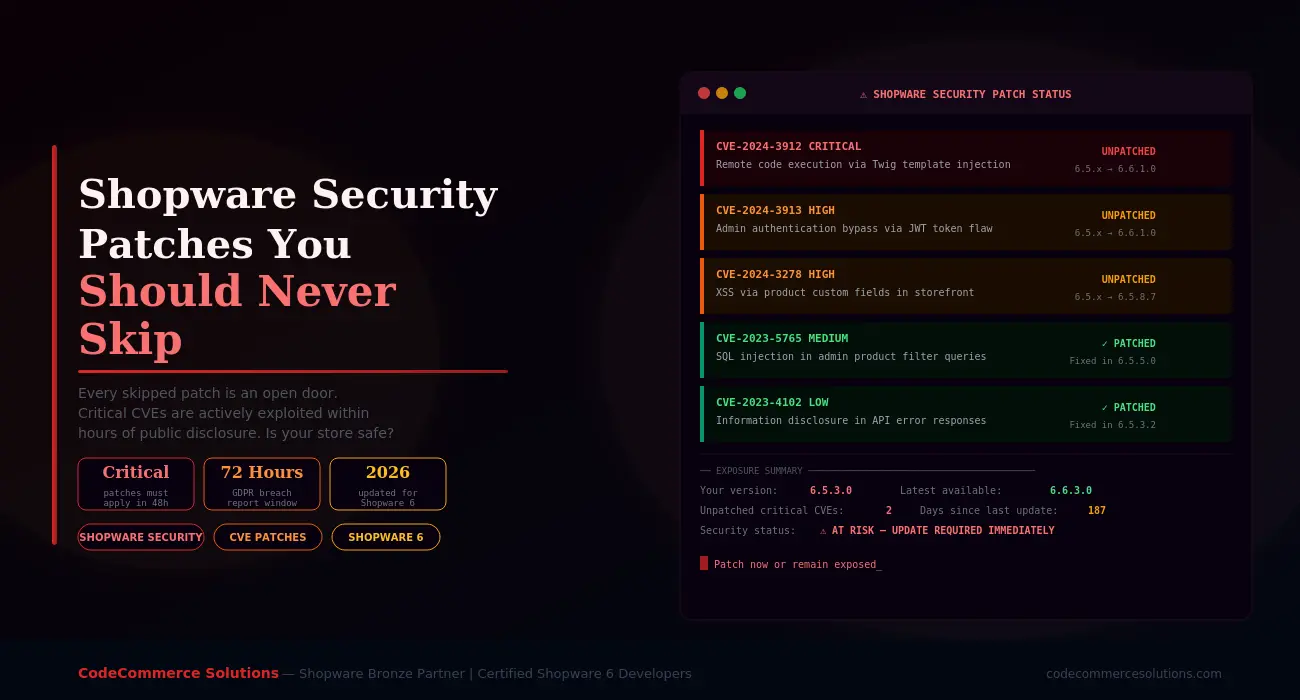
Shopware security patches exist for one reason. Vulnerabilities are discovered in the platform regularly. When they are found, Shopware releases a fix. But the fix only protects stores that actually apply it.
The stores that skip patches remain exposed. Attackers read the same public CVE disclosures that developers do. They know exactly which Shopware versions are vulnerable. Furthermore, they have automated tools that scan the internet for those versions at scale.
This guide explains which Shopware security patches you must apply immediately. It covers why skipping them is dangerous — and how to update your store safely every time.
Exploit Timelines Are Shrinking
Security researchers publish CVE details publicly when a patch is released. Consequently, attackers can reverse-engineer the fix and build an exploit in hours. A Shopware store that is even 48 hours behind on a critical patch is at real risk. Speed matters more than most store owners realise.
Why Shopware Security Patches Get Skipped
Most store owners do not skip Shopware security patches intentionally. Instead, they skip them for practical reasons. Updates feel risky. Agencies warn about plugin conflicts. Developers are busy. Testing takes time. So the update gets pushed to next week — and then the week after that.
The result is a store running on an outdated Shopware version. Its known Shopware vulnerabilities are publicly documented and actively exploited. According to the Shopware official security advisories, several critical patches have been released in each of the past three years.
Furthermore, outdated stores create compounding problems. An older Shopware version means older plugin versions too. Older plugin versions carry their own Shopware vulnerabilities. Before long, the whole stack is riddled with known weaknesses.
The solution is a structured Shopware patch management process — not a manual one-off update whenever something breaks. We will cover that process in detail later in this guide.
Behind on Shopware Updates?
Our certified Shopware 6 developers audit your current version. We identify every unpatched Shopware CVE and apply all outstanding security patches safely. Your store stays online throughout.
Shopware Plugin Development →What Happens If You Skip Updates
The Four Types of Shopware Updates — And Which Ones Are Non-Negotiable
Not every Shopware version update carries the same urgency. Understanding the difference helps you prioritise correctly. Shopware releases follow a structured versioning format: Major.Minor.Patch.Build — for example, 6.6.3.1.
| Update Type | Example | What It Contains | Priority |
|---|---|---|---|
| Security patch | 6.5.8.6 → 6.5.8.7 | CVE fixes only — no feature changes | Apply within 48h |
| Patch release | 6.5.7.0 → 6.5.8.0 | Bug fixes and minor security fixes | Apply within 1 week |
| Minor release | 6.5.x → 6.6.x | New features, improvements, security fixes | Plan within 1 month |
| Major release | 6.x → 7.x | Breaking changes, new architecture | Plan with full testing cycle |
Security patches at the build level are the most urgent. They target specific Shopware CVEs. They contain no feature changes. Therefore, they carry the lowest risk of breaking anything and the highest risk of harm if skipped.
Patch releases are also important. They often bundle several small security fixes alongside bug corrections. Similarly, minor releases frequently include security hardening that is not published as a standalone advisory.
Shopware Security Patches You Must Never Skip
Below are the categories of Shopware security patches that carry the highest real-world risk. Each one has been actively exploited on live Shopware stores when left unpatched.
Remote code execution vulnerabilities are the most dangerous class of Shopware CVE. An attacker who exploits one can run arbitrary code on your server. That means full database access, file system control, and the ability to install persistent backdoors.
RCE vulnerabilities in Shopware have historically appeared in the Twig template engine, the media upload system, and the plugin installer. When Shopware releases an RCE patch, it is always accompanied by a security advisory marked as Critical.
What happens if you skip it: Automated exploit scripts target known RCE vulnerabilities within hours of CVE publication. An attacker can take full control of your server — not just your Shopware store. Customer data, order data, and payment credentials are all at risk.
Authentication bypass vulnerabilities allow an attacker to access your Shopware admin panel without valid credentials. These are especially dangerous. They skip every other security measure you have in place — including two-factor authentication and IP restrictions.
Shopware CVEs in this category have included flaws in the JWT token validation system. Session management weaknesses and API authentication gaps are also common examples. Each one gives an attacker the same level of access as a fully logged-in admin user.
What happens if you skip it: An attacker gains full admin access. From there, the attacker can export your customer database and modify product prices. They can also inject malicious scripts into your storefront or install a backdoor plugin. The damage can take weeks to fully reverse.
SQL injection vulnerabilities allow an attacker to query your database directly through Shopware’s own endpoints. In practice, this means attackers can extract customer email addresses, hashed passwords, and order history. They can do this without needing any admin access at all.
These Shopware vulnerabilities have appeared in product filter queries, the admin search system, and custom field processing. They are often discovered by security researchers who responsibly disclose them to Shopware before publishing CVE details.
What happens if you skip it: Your customer database becomes readable by anyone who knows the exploit. Depending on your data storage practices, attackers can extract names, emails, addresses, and order history. This is a direct GDPR breach requiring notification within 72 hours.
XSS vulnerabilities allow attackers to inject malicious JavaScript into your Shopware storefront. When a customer visits an affected page, the script runs in their browser. It can steal session cookies, capture keystrokes including payment details, or redirect customers to phishing pages.
Shopware XSS vulnerabilities have been found in product custom fields, review forms, the search bar, and checkout fields. Stored XSS is particularly dangerous. The malicious script persists in your database and runs for every visitor until you apply the Shopware security patch.
What happens if you skip it: Your customers’ payment details and session data are at risk. Attackers can silently harvest card numbers during checkout. Your store becomes a tool for credential theft without your knowledge.
Need Help Applying Shopware Security Patches Safely?
CodeCommerce Solutions is a Shopware Bronze Partner. Our certified developers apply Shopware security patches on staging first. We run full compatibility testing before any production deployment. Critical stores stay online throughout.
Shopware’s media upload system handles product images, documents, and custom files. Vulnerabilities in file upload validation allow attackers to upload executable files instead of legitimate media. Once uploaded, the file can be accessed via its URL and executed on your server.
These Shopware vulnerabilities are particularly common when third-party plugins extend the upload system without following Shopware’s security model correctly. Consequently, a plugin update may introduce a vulnerability even when Shopware core itself is patched.
What happens if you skip it: An attacker uploads a web shell. This is a script that grants command-line access to your server through a simple browser URL. From that point, the entire server is compromised, not just your Shopware store.
Developer Insight From CodeCommerce Solutions
When we audit Shopware stores for security, we consistently find one pattern. Stores skip a Shopware version update once because of a plugin conflict — and then never catch up. Six months later, they are three or four patch versions behind. By that point, multiple Shopware CVEs are publicly documented for their exact version. Fixing a plugin conflict takes hours. Recovering from a breach takes weeks. The calculation is straightforward.
How to Apply Shopware Security Patches Without Breaking Your Store
The fear of breaking a live store is the main reason Shopware updates get delayed. That fear is understandable. However, a structured Shopware patch management process makes updates safe and predictable every time.
Subscribe to Shopware’s security notifications. New Shopware CVEs are published at docs.shopware.com/en/shopware-6-en/security-updates. Enable email alerts so you hear about critical patches the same day they are released.
Never apply a Shopware version update directly to your live store. Apply it to an identical staging environment first. Run your full checkout flow. Test your payment gateway. Check every plugin. Only then deploy to production.
Take a full database backup and a file system backup immediately before applying any Shopware security patch. Store the backup off-server. If anything breaks, you can restore within minutes rather than hours.
Shopware vulnerabilities often exist in plugins as well as core. When you apply a Shopware security patch, check every installed plugin for pending updates. Plugin CVEs are just as dangerous as core CVEs — and are published just as publicly.
After applying a Shopware version update, run php bin/console cache:clear and php bin/console cache:warmup. Then verify your storefront, admin, and API all load correctly. Check your access logs for any new errors in the first 30 minutes.
Security patch management should not be reactive. Set a fixed maintenance window — for example, every two weeks. Use it to review pending Shopware updates and apply them in a controlled way. A regular Shopware patch management cadence eliminates the backlog problem entirely.
What Happens When You Ignore Shopware Updates
Some store owners believe that because nothing has gone wrong yet, skipping patches is acceptable. That reasoning is flawed. It conflates not knowing about an attack with not being attacked.
Here is a realistic timeline of what happens to a store that skips Shopware security patches consistently.
| Timeframe | What Happens | Risk Level |
|---|---|---|
| Days 1–7 after patch release | CVE details are published. Automated scanners begin mapping vulnerable stores by version fingerprint | Exposure begins |
| Week 2–4 | Exploit scripts are shared in underground forums. Targeted attacks against known vulnerable Shopware versions increase significantly | Active targeting |
| Month 2–3 | The store is likely already probed. Attackers look for weakest entry point across all unpatched Shopware vulnerabilities | High exposure |
| Month 3+ | A successful breach becomes statistically likely. Customer data is at risk. GDPR penalties may follow. Reputation damage is hard to reverse | Critical risk |
Attackers do not need to test every Shopware vulnerability against every store individually. Shopware’s version number is often detectable from publicly accessible files. Once an attacker knows your version, they know exactly which Shopware CVEs apply to your store. Hiding your version partially helps but is not a substitute for Shopware patch management.
Why Choose CodeCommerce Solutions for Shopware Patch Management
Keeping up with Shopware security patches is straightforward when you have a defined process. However, many store owners do not have the time or technical resources to manage Shopware updates correctly. They either skip them entirely or apply them carelessly — which can cause its own problems.
As a Shopware Bronze Partner, CodeCommerce Solutions manages Shopware patch management for stores of all sizes. Our certified Shopware 6 developers monitor every new Shopware CVE advisory. We apply security patches on staging first. Then we run compatibility checks across your full plugin stack. Only after full verification do we deploy to production.
We also document every Shopware version update we apply. That gives you a clear audit trail of your patch history. It is useful for GDPR compliance, insurance purposes, and internal security reviews. Furthermore, we alert you when any critical Shopware security patch is released so you are never the last to know.
Apply Your Shopware Security Patches Today
Shopware security patches are not optional extras. They are the primary defence against a growing wave of automated attacks on eCommerce stores. Every unpatched Shopware vulnerability is a documented weakness that attackers know about and actively exploit.
Critical patches must be applied within 48 hours of release. This is especially true for patches covering remote code execution, authentication bypass, SQL injection, and XSS. Beyond that window, the risk of active exploitation rises sharply. A structured Shopware patch management process removes the risk from updates entirely.
If your store is behind on Shopware updates, act now. Check your current Shopware version against the latest release. Review the official Shopware security advisories for any unpatched CVEs. Then apply every outstanding patch, starting with the most critical. If you need help, CodeCommerce Solutions is ready. We are a Shopware Bronze Partner with certified developers who handle Shopware security patches every day.
Get Your Shopware Store Fully Patched and Secure
CodeCommerce Solutions is a Shopware Bronze Partner with certified Shopware 6 developers. We audit your patch status and apply every outstanding Shopware security patch. Then we set up a maintenance process so your store never falls behind again.