

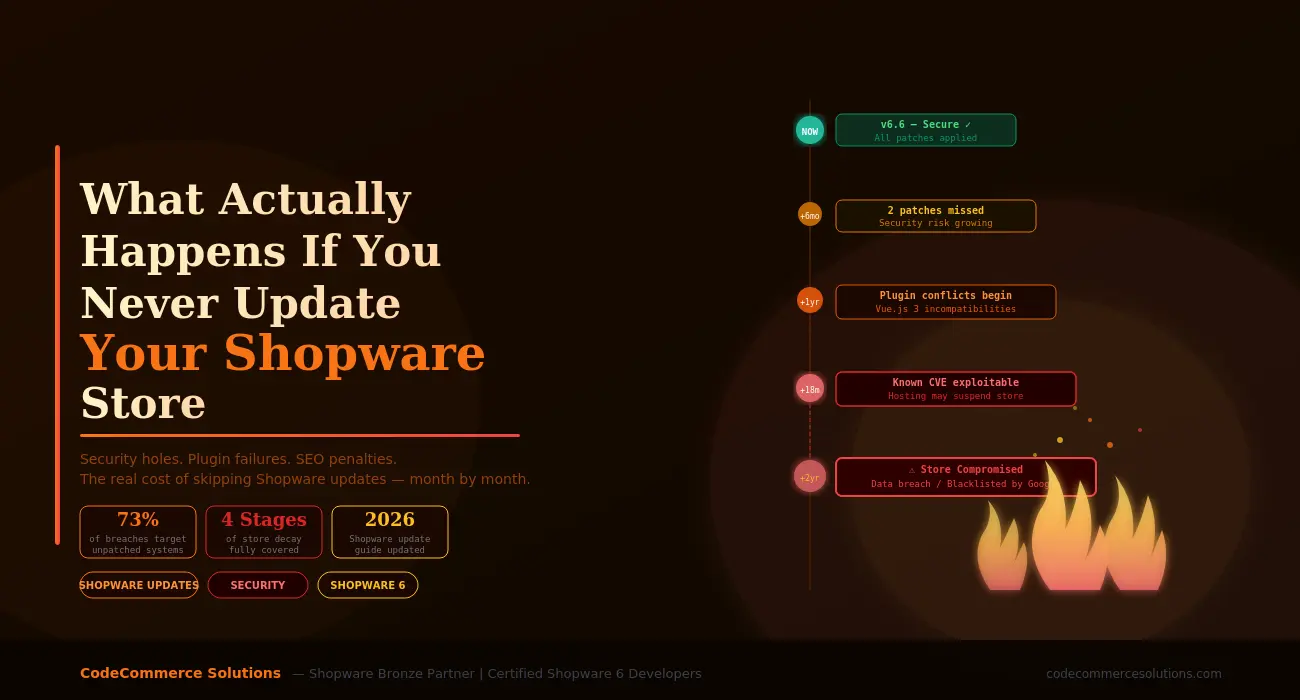
Skipping a Shopware store update feels like a low-risk decision in the moment. The store is running. Customers are checking out. Nothing looks broken. The update can wait until next week, next month, next quarter. And then next quarter becomes next year.
This is how most outdated shopware stores end up in trouble not through a deliberate choice to ignore maintenance, but through a series of small deferrals that each felt reasonable at the time. By the time the consequences become visible, the gap between the running version and the current shopware release has grown from one minor version to two major ones, and what should have been a straightforward update has become a significant development project.
This article maps out exactly what happens to a Shopware store that never gets updated stage by stage, month by month – so that merchants, CTOs, and eCommerce managers understand what they are actually deferring when they push that update to another quarter.
This Is Not a Theoretical Risk
Shopware releases security advisories for known vulnerabilities through their official changelog and security page. Every patch that is not applied is a publicly documented vulnerability that attackers can read and target. The longer a store runs without updates, the larger the list of known, documented weaknesses available to anyone who wants to look.
The 4 Stages of a Shopware Store That Never Gets Updated
Neglecting Shopware store updates does not produce a sudden catastrophic failure. It produces a gradual deterioration that passes through predictable stages. Understanding these stages helps you recognise where your store sits right now – and what is coming if nothing changes.
Months 1–3: Nothing Looks Wrong Yet
The store runs normally. Performance is unchanged. Customers don’t notice anything. But underneath, the gap between your version and the current release is already opening.
In the first one to three months after skipping an update cycle, nothing visible changes. Your store continues to process orders, the admin loads normally, and plugins function as expected. This is the period that makes the habit of skipping updates feel safe because the immediate consequence is zero.
What is actually happening during this period is that Shopware’s development team continues releasing patches, minor versions, and security fixes. Each release notes fix something a specific vulnerability, a performance issue, a bug in the checkout flow, a compatibility issue with a third-party payment gateway. Your store is not receiving any of these fixes. The gap is small and the risk is low, but it exists and it is growing.
Security Status: 1–2 patches missed. Risk is low but not zero. No public exploits targeting your specific version yet.
Plugin Compatibility: All current plugins still function. Minor warnings may appear in admin but nothing is broken.
Performance: Unchanged. No noticeable degradation. Core Web Vitals likely still within acceptable range.
Months 4–9: The Hidden Costs Begin Accumulating
Plugins start showing compatibility warnings. New payment provider integrations don’t work on your version. Your developer starts working around things rather than fixing them properly.
By four to nine months without Shopware store updates, the consequences shift from invisible to inconvenient. Plugin developers update their extensions to support newer Shopware versions — and they do not always maintain backwards compatibility. A payment gateway plugin updates to support a new Shopware API endpoint. A shipping integration drops support for your version. An SEO plugin that your team relies on starts generating errors in the admin that nobody quite understands.
This is also the period when your development team starts spending time on workarounds rather than improvements. Instead of following Shopware’s intended development patterns — which assume you are on a current version — they begin working around version-specific limitations. These workarounds accumulate technical debt that will make the eventual update even harder and more expensive.
From a security perspective, the number of unpatched vulnerabilities in your running version is now significant enough that a competent attacker could identify your Shopware version through HTTP headers or public response signatures and look up which known CVEs apply. Shopware publishes these vulnerabilities openly — the information is available to anyone.
Security Risk: Multiple unpatched vulnerabilities. Your version string is identifiable and CVEs are publicly listed.
Plugin Compatibility: Newer plugin versions stop installing cleanly. Some features stop working without clear error messages.
Developer Time: Increasing hours spent on version-specific workarounds that add no business value.
Is Your Shopware Store Running Behind on Updates?
The earlier you address an update backlog, the less expensive it is to fix. Our certified Shopware 6 developers can audit your current version, assess your plugin compatibility, and build a safe update plan that gets you current without breaking your live store.
Months 10–18: Real Problems Start Hitting Customers
Checkout flows break on certain browsers. Customers report intermittent payment failures. Your Google rankings drop because your store is flagged for outdated JavaScript libraries with known vulnerabilities.
At ten to eighteen months without Shopware store updates, the consequences cross from internal inconvenience to customer-facing failures. This is the stage where merchants usually start paying serious attention — because the business metrics start moving in the wrong direction.
Shopware 6’s frontend is built on Vue.js 3. Major Vue.js releases change the component API in ways that affect how Shopware plugins render in the storefront. Plugins that have updated to support the new component API will break on older Shopware versions that still use the previous API. The result is storefront components that fail to render, checkout steps that produce JavaScript errors, and product pages that display incorrectly on certain devices or browsers.
On the security side, outdated JavaScript libraries included in older Shopware versions start appearing in automated security scanners. Google’s Safe Browsing and browser security tools flag sites using libraries with known vulnerabilities. Some hosting providers and payment processors begin requiring minimum platform versions as a PCI DSS compliance condition — a requirement that older Shopware versions may no longer satisfy.
Customer Impact: Checkout errors on specific browsers. Payment failures. Cart abandonment rates increase without obvious cause.
SEO Impact: Google may flag outdated libraries. Core Web Vitals decline as unpatched performance regressions compound.
Compliance Risk: Payment processors may flag PCI DSS compliance issues. Hosting providers may issue maintenance warnings.
18+ Months: Critical Failure and Potential Compromise
Your store is running on a version with known, exploitable CVEs. Hackers actively target eCommerce stores with outdated Shopware versions. Your hosting provider may suspend the account. Recovery becomes a project, not a task.
Beyond eighteen months without Shopware store updates, you are no longer managing a technical debt problem — you are managing a security emergency that has not yet announced itself. Shopware, like all active platforms, has had critical vulnerabilities discovered and patched over time. If your store is running a version that predates these patches, it is vulnerable to exploits that are publicly documented and actively used by automated scanning tools that continuously probe the internet for vulnerable eCommerce installations.
The consequences of a successful exploit range from injected malicious scripts on your storefront — which steal customer payment data — to full database access, which exposes every customer record, email address, order history, and potentially stored card data. Google’s Safe Browsing system will detect and flag malicious content within days, adding a browser warning that destroys customer trust immediately and permanently until resolved.
At this stage, getting your Shopware store current is not a routine update process. It is a complex multi-version upgrade project that requires careful staging, plugin-by-plugin compatibility testing, potential custom code rewrites, and a rollback plan for every step. The cost of this work — in developer time, downtime risk, and potential data recovery — will dwarf what regular quarterly updates would have cost over the same period.
Security Status: Active CVEs exploitable in your version. Automated attack tools scan for and target outdated Shopware installations daily.
Hosting Risk: Hosts actively monitoring for compromised PHP applications may suspend your account without warning to protect server integrity.
Recovery Cost: Multi-version upgrade projects cost 5 to 15 times more than regular quarterly maintenance would have cost over the same period.
Brand Damage: A Google Safe Browsing warning or confirmed data breach creates customer trust damage that can take years to fully recover from.
From Our Shopware Developers at CodeCommerce Solutions
We regularly take on emergency update projects from merchants who deferred updates for 12 to 24 months. Without exception, the update project costs them more — in developer hours, in downtime risk, and in plugin rewrites — than two years of quarterly maintenance would have. The maths always favours keeping current. The challenge is that the cost of staying current is visible on every invoice, while the cost of falling behind only becomes visible when something breaks.
The Specific Risks by Update Type
Shopware releases several categories of updates, each with different urgency levels. Understanding what each one covers makes it easier to prioritise correctly when resources are constrained.
Shopware Update Types — Priority Reference
Behind on Shopware Updates? We Can Fix That Safely.
CodeCommerce Solutions is a Shopware Bronze Partner with certified Shopware 6 developers who manage update projects from minor patches to multi-version catch-up upgrades — with staging environments, plugin compatibility testing, and rollback plans built in as standard.
How to Catch Up Safely if You’re Already Behind
If your Shopware store is already running one or more versions behind, the goal is not to update immediately and hope for the best. The goal is to close the gap in a controlled way that does not break your live store in the process.
Step 1: Audit Your Current State Before Touching Anything
Before planning an update, document your current Shopware version, PHP version, every installed plugin with its current version and last update date, and any custom code or theme modifications that exist in your store. This audit is the foundation for everything that follows. Without it, you cannot reliably predict where conflicts will occur during the update process.
Step 2: Build a Staging Environment That Mirrors Production
Never apply a catch-up update directly to a production Shopware store. The larger the version gap, the higher the probability of a plugin conflict or custom code incompatibility that will break something visible to customers. A staging environment with a current copy of your production database and files lets you run the update, identify every conflict, and resolve them before any change touches your live store.
Step 3: Update in Increments for Large Version Gaps
If your store is multiple major versions behind — for example, running Shopware 6.4 while the current release is 6.6 — do not attempt a single-step jump to the latest version. Update from 6.4 to 6.5, test thoroughly on staging, resolve any conflicts, then update from 6.5 to 6.6. Incremental updates with testing at each step are more work up front but dramatically reduce the risk of compounding conflicts that are difficult to diagnose.
Step 4: Update Plugins After Each Shopware Version Step
Plugin compatibility testing is the most time-consuming part of any Shopware catch-up update. After each Shopware version increment on staging, update all plugins to their current versions and test every function they provide — checkout integrations, payment providers, shipping calculators, search functionality, custom product configurations. Log every issue and resolve it before moving to the next version step.
Step 5: Establish a Regular Update Schedule Going Forward
Once you are current, the most valuable thing you can do is implement a maintenance schedule that prevents the situation from recurring. A quarterly Shopware store update cycle — minor versions and plugins monthly, major versions quarterly after staging validation — costs a fraction of what emergency catch-up projects cost and eliminates the security exposure that comes with running behind.
What a Healthy Shopware Update Schedule Looks Like
Apply security patches within 48–72 hours of release. Update minor versions monthly in a staging environment before deploying to production. Test and update plugins after each Shopware update. Plan major version upgrades quarterly with a dedicated testing window. Review PHP version requirements whenever Shopware releases a new major version. This cadence, handled by a competent Shopware development team, costs less per month than a single emergency recovery project.
Why Choose CodeCommerce Solutions for Shopware Maintenance
Keeping a Shopware store current requires more than running an update command. It requires understanding which updates carry plugin conflict risk, how to test them properly in a staging environment that mirrors production, and how to resolve the compatibility issues that arise when Shopware’s core architecture evolves and third-party plugins have not yet caught up.
As a Shopware Bronze Partner with a team of certified Shopware 6 developers, CodeCommerce Solutions offers ongoing Shopware maintenance services that cover the full update cycle — security patches, minor and major version updates, plugin compatibility testing, PHP version management, and post-update verification. We also handle catch-up update projects for stores that are already running behind, with a structured approach that closes the version gap safely without risking the live store’s availability.
Our developers work exclusively with Shopware projects, which means we see update-related issues across many stores and versions — and we know which updates require extra care, which plugins routinely cause conflicts after major version changes, and how to structure the update process to minimise risk at every step.
The Real Cost of Never Updating
The cost of skipping Shopware store updates is not a flat fee — it compounds. In the first few months, the cost is zero. By six months, it is workarounds and compatibility headaches. By twelve months, it is customer-facing failures and growing security exposure. Beyond eighteen months, it is a significant development project, potential security compromise, and the kind of brand damage that takes far longer to repair than it took to accumulate.
The economics are straightforward: a regular quarterly maintenance cadence costs a predictable, manageable amount per month. Emergency catch-up updates cost multiples of that. A post-breach recovery costs multiples of that again. The most expensive Shopware update you will ever pay for is the one you deferred for two years.
If your store is behind on Shopware updates — whether by a few months or several versions — the right time to address it is now, before the gap grows larger and the consequences become harder to reverse. CodeCommerce Solutions is ready to help you get current and stay current.
Keep Your Shopware Store Secure, Stable, and Current
CodeCommerce Solutions is a Shopware Bronze Partner with certified Shopware 6 developers offering ongoing maintenance, security patch management, and catch-up update services. Let’s get your store current — and keep it that way.